Student fees and follow-ups in one view
An education CRM dashboard designed to manage student fee records, monitor outstanding balances, and coordinate campus communications from one workspace.
Problem & Transformation
How we diagnosed the issues and built the custom web architecture.
Disconnected Fee Records and Payment Follow-ups.
Educational institutions need an organized way to review student fee records, monitor received payments, identify outstanding balances, and keep track of payment due dates. When information is spread across separate records and communication channels, staff may need to check multiple places to understand a student's payment status. This can make it harder to prioritize outstanding accounts and maintain a clear view of the institution's overall fee collection activity. Fee reminders and campus announcements also require careful coordination. Without a structured communication workflow, staff may have difficulty preparing relevant messages, reviewing the intended audience, and ensuring that reminders reflect the latest payment status. A centralized system can bring financial records and communication preparation closer together while preserving the review steps needed before messages are dispatched.
- Student payment records and dues
- Outstanding balances and approaching due dates
- Invoice and collection-status visibility
- Fee reminders and announcements requiring review
A Unified Workspace for Student Fees and Communication.
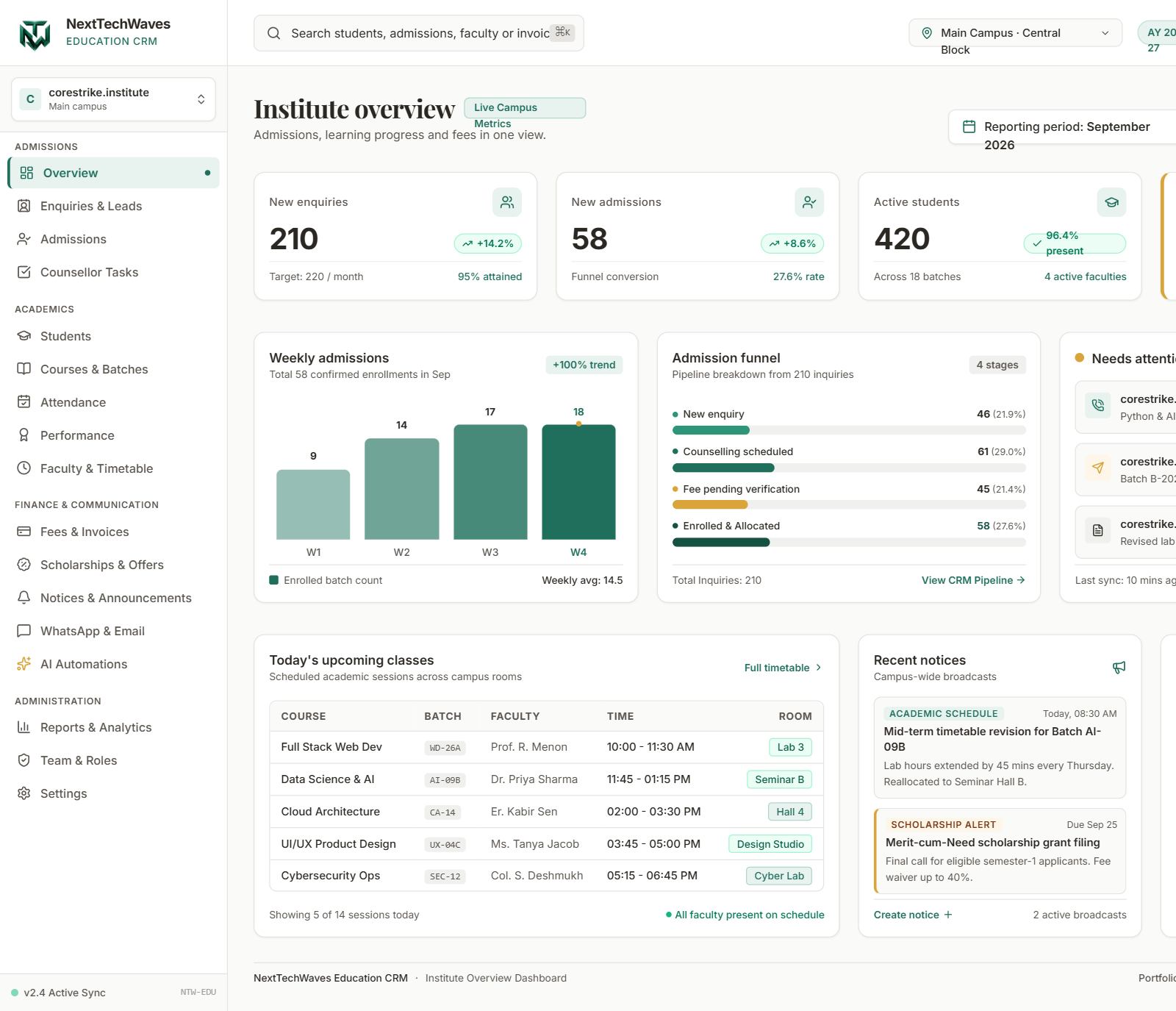
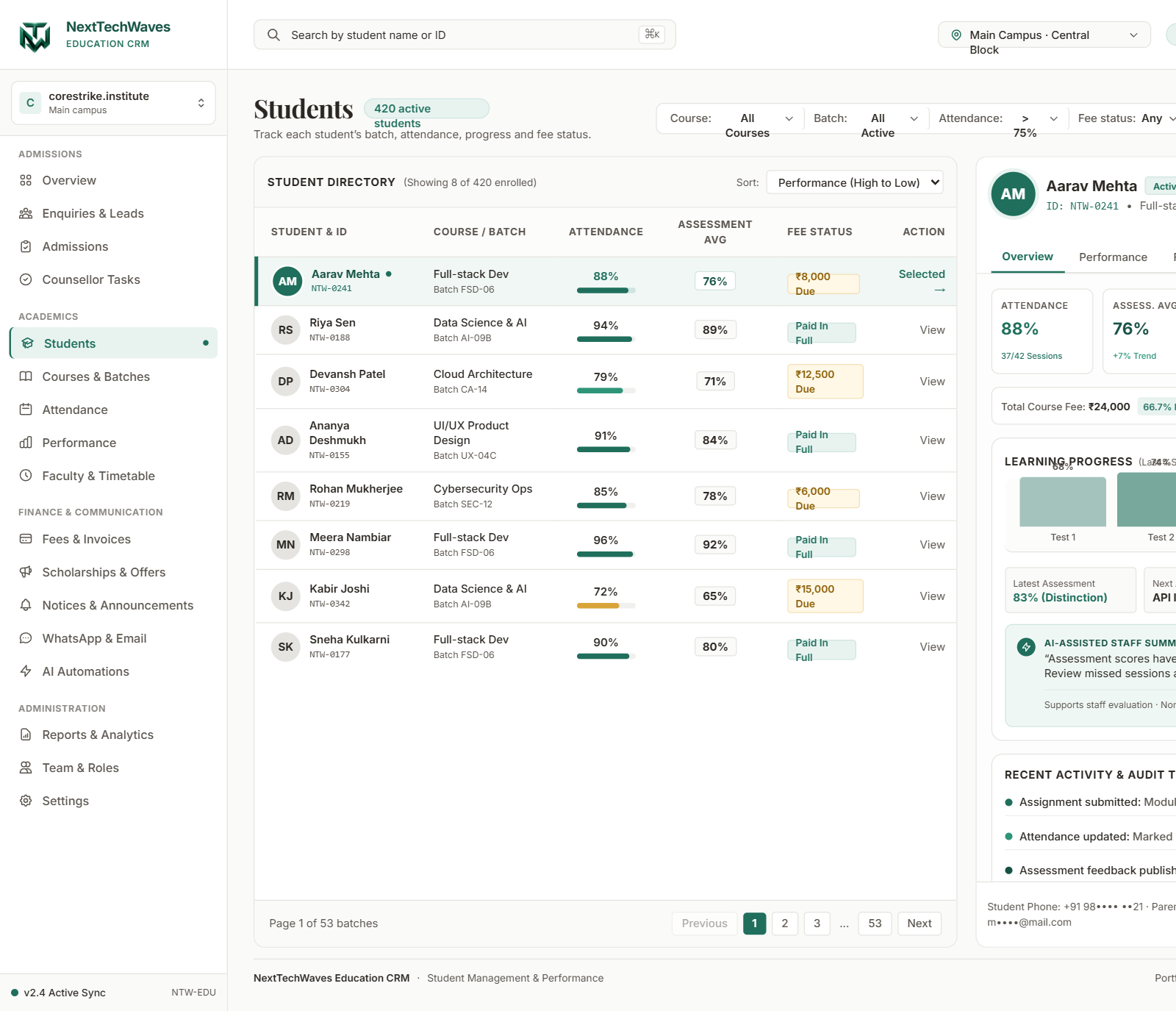
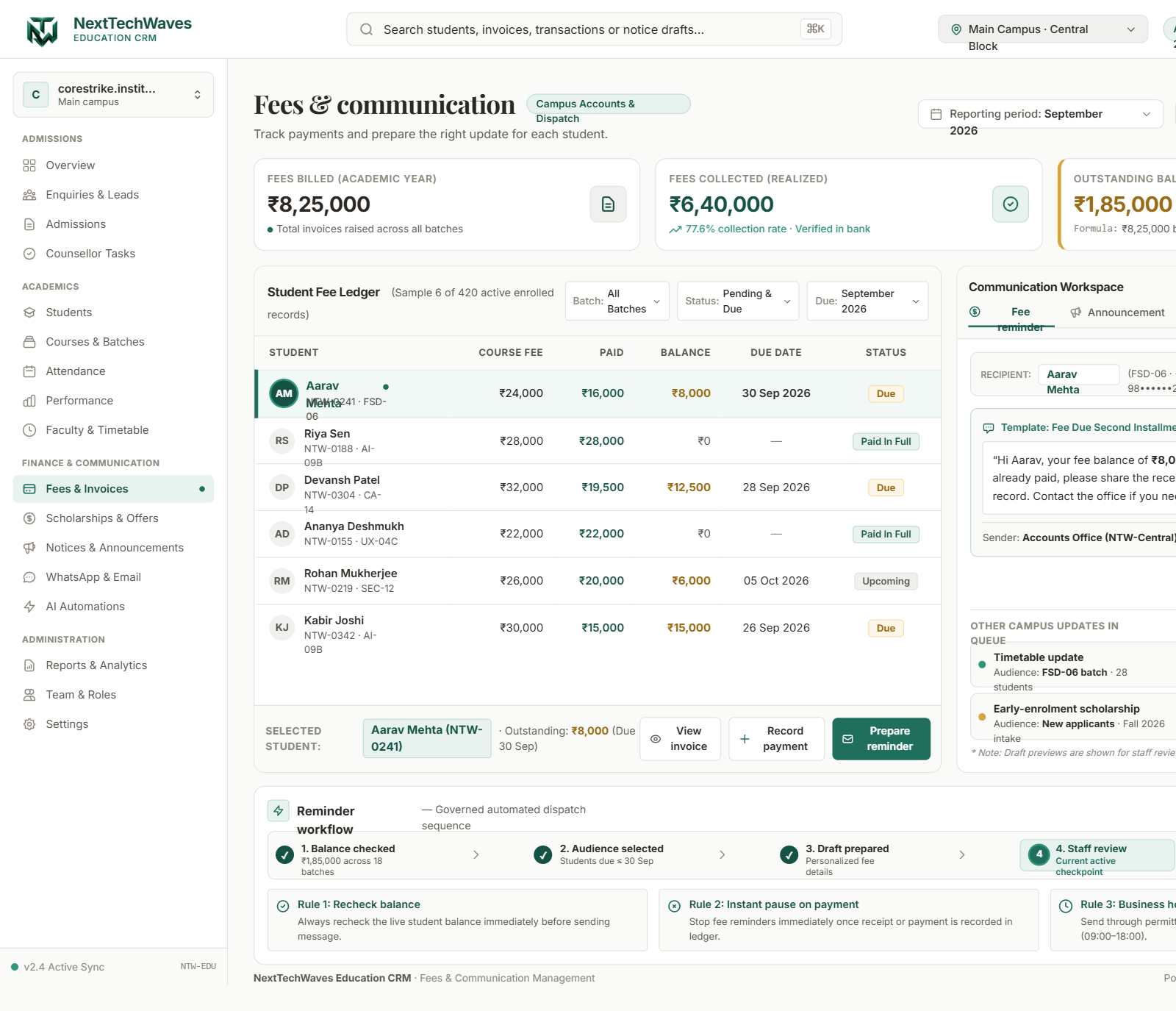
CoreD designed an education CRM dashboard that centralizes student fee records, invoice tracking, payment balances, and due dates. The interface organizes fee information so staff can review course fees, payments received, remaining balances, and invoice-related actions from a single workspace. Collection summaries provide a broader view of billed amounts, realized collections, and outstanding dues, while account-level records help staff identify students whose payments may require additional attention. The dashboard also connects financial records with a dedicated communication workspace for preparing fee reminders and campus announcements.This separates message preparation from actual dispatch and provides a more structured way to coordinate routine student communication without losing sight of the underlying payment context. A controlled reminder workflow adds further checks before communication moves forward. The process represents balance rechecks, audience selection. Together, these capabilities bring student fee tracking, collection visibility, invoice management, and communication preparation into one interface designed to support more organized administrative work.
- Centralized student fee ledger and invoice tracking
- Billed amounts, collections, and outstanding balances
- Reviewable fee reminders and campus announcements
- Audience selection and staff approval workflow
- Payment rechecks and reminder-dispatch safeguards
Project timeline
The project materials show the work below. Dates and the order of delivery have not been confirmed.
- 1.Fee ledger and balance views
- 2.Invoice and collection views
- 3.Staff review of reminder drafts
Key Capabilities
Student Fee Ledger
Review course fees, payments received, outstanding balances, and due dates.
Fee Collection Overview
Monitor billed amounts, realized collections, and outstanding balances.
Invoice Management
Identify student dues and access invoice-related actions from the ledger.
Communication Workspace
Prepare fee reminders and campus announcements using organized message drafts.
Reminder Workflow
Track balance checks, audience selection, draft preparation, and staff review.
Dispatch Safeguards
Represent payment rechecks, payment-triggered pauses, and business-hour delivery rules.
Results & Impact
What the project materials show. Measured changes in cost, time or revenue have not been verified.